The Marketing MCP Server: Google Ads, GA4 and CRM in Claude
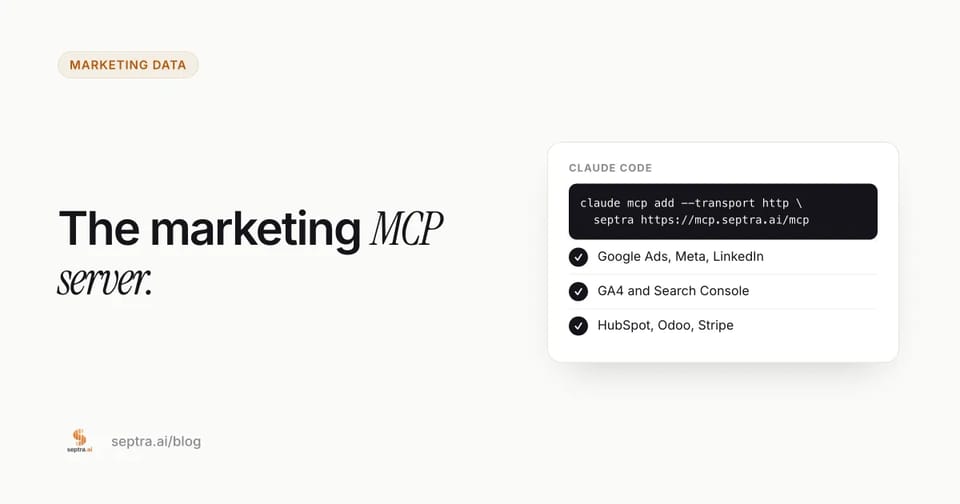
Short answer: an MCP server lets Claude Code, Claude Desktop or Cursor query your marketing systems directly, so you can ask cross-source questions (ad spend against CRM deals, organic traffic against revenue) without exporting CSVs. Add Septra's with one command: claude mcp add --transport http septra https://mcp.septra.ai/mcp. It's included on every plan, from $29.99 a month.
Last updated November 21, 2026.
Why your marketing stack needs an MCP server
Every marketing team runs the same loop: open Google Ads, export a CSV. Open GA4, export a CSV. Open Search Console, export a CSV. Open the CRM, export a CSV. Paste all four into a chat window and hope the model doesn't invent a number.
The loop is slow, it's stale by the time it finishes, and it's the reason "AI for marketing" so often produces confident nonsense. The model isn't lying — it's reasoning over a truncated, mis-joined spreadsheet.
The Model Context Protocol (MCP) removes the export step. An MCP server exposes your tools and data to an AI client — Claude Code, Claude Desktop, Cursor — as callable functions. Instead of pasting data into the model, the model asks your stack for it, live, at the moment you ask the question.
A marketing MCP server is the specific case where those tools are your ad platforms, analytics, and revenue systems. This guide covers what that unlocks, how to set it up in under a minute, and how to evaluate the options.
What a marketing MCP server actually does
An MCP server is a small, standardized interface. It advertises a list of tools (named functions with typed inputs) and the client decides when to call them. Three properties matter for marketing use:
- It's fresh enough. Tools read data synced from your connected systems, with the sync time attached to every answer, not a CSV someone exported last Tuesday.
- It's scoped. A well-built server is workspace-isolated — the model can only see the accounts you authorized.
- It's multi-source. The value isn't reading Google Ads. It's joining Google Ads to Search Console to HubSpot in a single answer.
That third property is the whole game. Reading one dashboard is a solved problem. Joining four systems without an ETL pipeline is not.
The four queries that justify the setup
Here is what changes once your stack is reachable over MCP. Each of these spans at least two systems.
1. Wasted spend triage
"Cross-reference our last 30 days of Google Ads search terms against Search Console impressions and HubSpot deals. Flag wasted spend — terms with spend but zero deals and no organic support — and draft the negative keyword list."
This is the query that pays for the tool. A search term with $400 of spend, no closed deals, and no organic impression support is a term you should have negatived three weeks ago. Finding it normally requires exporting search terms, exporting CRM deal sources, and reconciling by hand. Over MCP it's one prompt.
2. Traffic without pipeline
"Which landing pages got organic traffic in the last 28 days but produced zero Stripe revenue or trial starts? Give me the top 3 queries per page and a rewritten title and meta description."
High impressions with no revenue is the most common SEO failure mode, and it's invisible in any single dashboard. GA4 knows the traffic. Search Console knows the queries. Stripe knows the money. Only a joined query sees the gap.
3. The weekly exec number
"Build this week's marketing report: spend across Google Ads, Meta and LinkedIn, new pipeline in HubSpot, net new MRR in Stripe, and MER. Compare to the prior four weeks."
Marketing Efficiency Ratio — revenue divided by total ad spend — is the number founders actually want. Computing it across four systems is normally a spreadsheet ritual. Over MCP it's a single call, and it's reproducible every week.
4. Anomaly triage ranked by revenue impact
"Compare the last 7 days against the prior 28-day baseline across every connected source. Rank anomalies by estimated revenue impact and draft the fix for the top three."
This is where a marketing MCP server stops being a convenience and starts being infrastructure. The model isn't just reporting — it's ranking what to do next.
How to connect a marketing MCP server in 60 seconds
The examples below use Septra's open endpoint (https://mcp.septra.ai/mcp), which exposes Google Ads, Meta Ads, LinkedIn Ads, GA4, Search Console, HubSpot, Odoo, Tally, and Stripe through 30 tools. The pattern is identical for any streamable-HTTP MCP server — swap the URL.
Claude Code
claude mcp add --transport http septra https://mcp.septra.ai/mcpThen run /mcp inside Claude Code to confirm the server shows as connected.
Claude Desktop
Open Settings → Developer → Edit Config and add:
{
  "mcpServers": {
    "septra": {
      "type": "http",
      "url": "https://mcp.septra.ai/mcp"
    }
  }
}
Restart the app. The first tool call opens a browser window for OAuth consent.
Cursor
Create .cursor/mcp.json in your project root:
{
  "mcpServers": {
    "septra": {
      "url": "https://mcp.septra.ai/mcp"
    }
  }
}
Reload the window and check Settings → MCP for a green status.
What happens on first call
The client discovers the server's OAuth metadata, opens a consent screen in your browser, and stores a token locally. You authorize one workspace. Every subsequent tool call is scoped to that workspace — the model cannot reach another tenant's data.
Marketing MCP servers vs. the ETL layer
The honest comparison. An ETL tool (Supermetrics, Coupler.io, Fivetran) moves data into a warehouse on a schedule. An MCP server reads data on demand. They solve different problems, and for most teams under ~50 people the MCP server is the better first purchase.
Marketing MCP server | ETL + warehouse | Manual CSV exports | |
|---|---|---|---|
Cost | $1–$30/mo entry tiers | ~$100–$500/mo | Analyst hours |
Time to first answer | Minutes | Days | 30–60 min per question |
Freshness | As of the last sync, shown on every answer | Scheduled sync | As stale as the export |
Cross-source joins | Built into the query | You model them | You do them by hand |
Maintenance | None | Schema drift, connector breakage | Recurring |
Best for | Operators asking questions daily | Teams needing a governed warehouse and BI | One-off analysis |
If you already have a warehouse and a BI layer, an MCP server sits on top of it and gives your AI client a natural-language interface. If you don't, an MCP server is usually the cheaper path to the same first answer.
What to check before you connect anything
Four things separate a useful marketing MCP server from a security incident:
- Workspace isolation. Can the server prove that tool calls are scoped to your tenant? Ask directly. "Your data never trains a model" is table stakes; "your token cannot read another workspace" is the real requirement.
- Read vs. write separation. A marketing MCP server should default to read. Write operations — pausing a campaign, changing a bid — should be explicit, named tools with their own confirmation.
- OAuth, not API keys in plaintext. Streamable-HTTP servers should use OAuth 2.1 with revocable tokens. A static key pasted into a config file is a key that leaks.
- Timeout headroom. Multi-source queries are slow. A server behind an edge proxy with a 30-second limit will cut off exactly the queries that matter. Look for a dedicated endpoint with a longer integration timeout.
Who this is for
- Technical founders who want their own numbers in Claude without building a data pipeline.
- Growth engineers who already live in Claude Code or Cursor and want the marketing stack in the same window as the codebase.
- AI-native marketers who have stopped trusting chat answers that aren't grounded in live data.
If you're running a single ad account and checking it once a week, a dashboard is fine. If you're asking cross-source questions more than twice a week, an MCP server is the cheaper answer.
Getting started
Septra Brain is a private Company AI Brain with an open MCP endpoint. Connect Google Ads, Meta Ads, LinkedIn Ads, GA4, Search Console, HubSpot, Odoo, Tally, and Stripe in about ten minutes, then query all of it from Claude Code, Claude Desktop, or Cursor.
$1 for your first month, then $29.99/month. When you want the audits automated, upgrade to Reporting ($9.99 first month) or Goals Engine ($30 first month). MCP access is included on every plan.
FAQ
Is there an official Google Ads MCP server? Google has published MCP tooling for some of its developer surfaces, but there is no single official server that joins Google Ads to GA4, Search Console, your CRM, and your billing system in one query. Most teams end up either building that join themselves or using a hosted server that already does it.
Does an MCP server replace my BI tool? No. A BI tool is for governed, scheduled reporting to a wide audience. An MCP server is for ad-hoc, natural-language questions from an AI client. They coexist — the MCP server often sits on top of the warehouse your BI tool reads.
Is it safe to give an AI client access to my ad accounts? It's safe when the server is read-first, workspace-isolated, and uses revocable OAuth tokens. Grant read access first. Add write tools only when you've watched the read behavior and trust it.
How fresh is the data? Septra answers from data synced into your private workspace knowledge base, so freshness depends on the last sync.
Can I use this with ChatGPT? The protocol is client-agnostic. Any MCP-capable client works. Claude Code, Claude Desktop, and Cursor are the most common today.
Sources
- Model Context Protocol specification: modelcontextprotocol.io
- MCP authorization (OAuth) specification: modelcontextprotocol.io
- Claude Code, connecting MCP servers: docs.anthropic.com
- Cursor, Model Context Protocol: cursor.com/docs
Related reading

Founder of Septra. Previously engineered core compute and auto scaling systems at AWS and Stripe.
Set your business goal. Put your AI team to work.
Seven autonomous AI employees plan, execute, and deliver results on a predictable weekly cadence.
Build my goal plan