How to Connect AI to Your Existing Business Tools (Without Switching)
You've invested heavily in your tech stack. HubSpot for CRM, Google Ads for traffic, a website that converts. But every day, you're still manually pulling reports, copying data between systems, and guessing which ad creative will work. You've tried generic AI chatbots, but they don't know your customers, your pipeline, or your actual data. The solution isn't a new platform. It's learning how to connect AI to your existing business tools —and that's exactly what Septra AI was built to do.
Why Generic AI Fails Your Business (And What Works Instead)
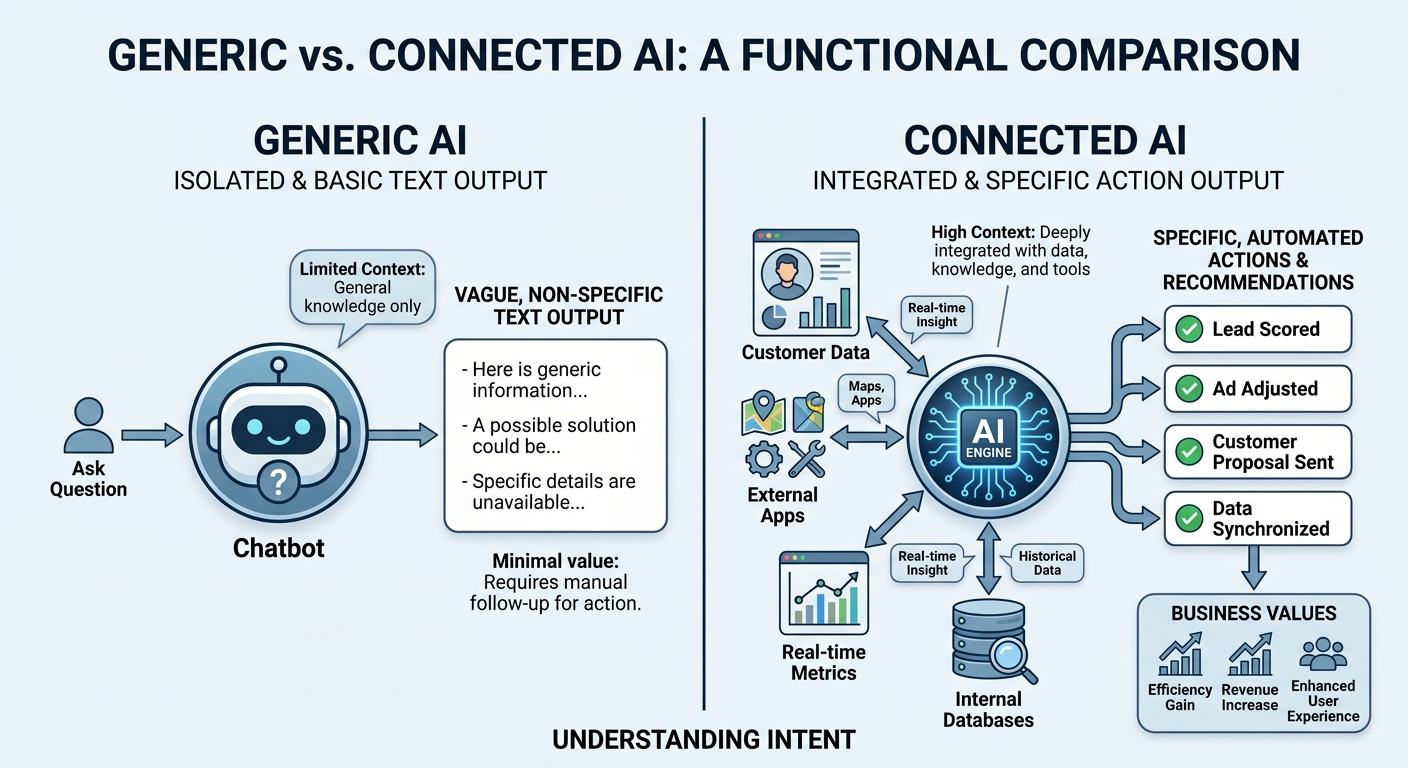
Most AI tools today are like a brilliant intern with no access to your files. They can recite Wikipedia, write generic emails, and suggest broad strategies—but they can't see your CRM, your ad account, or your actual sales data. That's why “chat with ChatGPT” delivers platitudes, not pipeline.
Meanwhile, major AI providers like Anthropic are launching dedicated small business offerings (Claude for Small Business), signaling a shift toward SMB-focused AI. But even these often require you to adopt a new ecosystem. The real game-changer is AI that plugs into what you already own.
The Disconnect Costs You Money
- Manual data entry across CRM, ads, and website wastes hours weekly.
- Ad optimizations are delayed because performance data lives in silos.
- Sales follow-ups are generic because your AI doesn't know a lead just visited the pricing page.
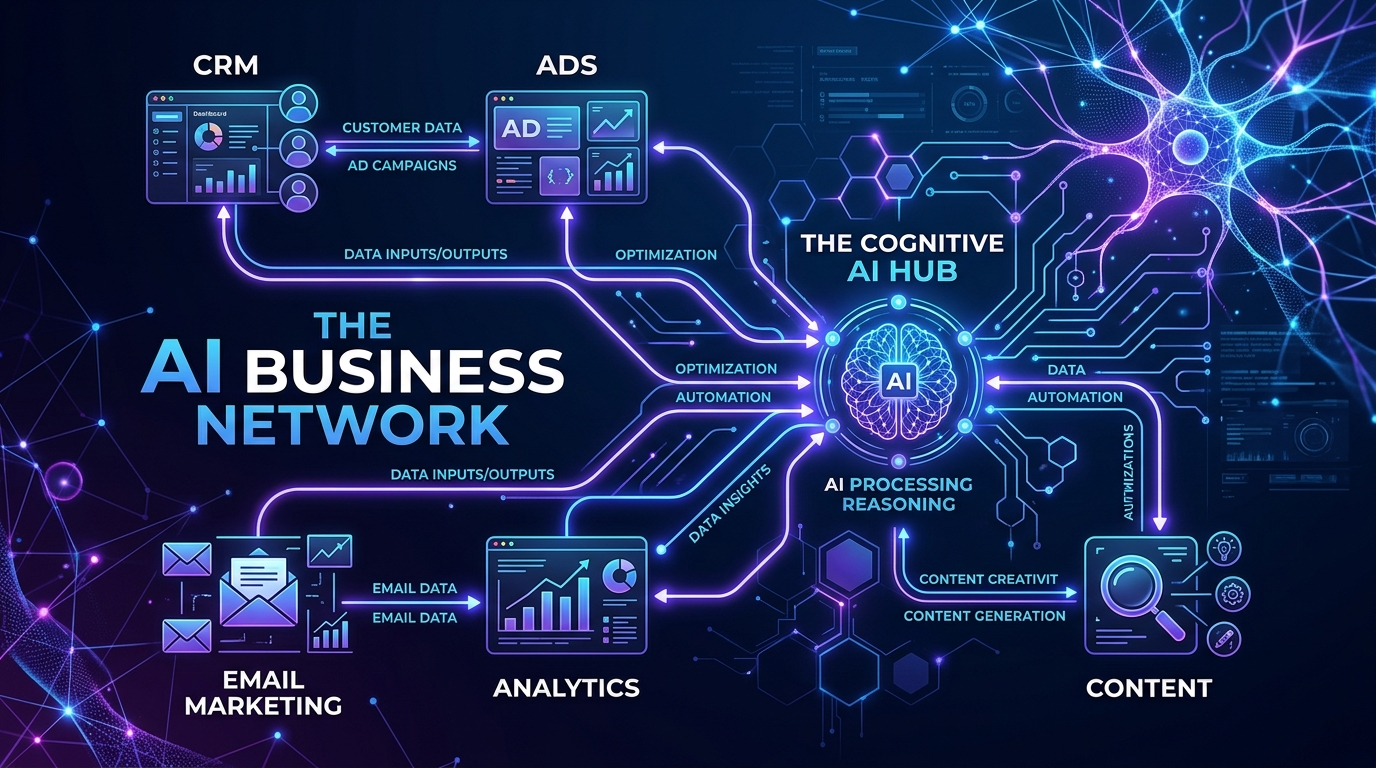
Septra AI eliminates these disconnects by acting as a layer over your existing stack—not a replacement. The result? Connect AI to your existing business tools and watch automation take over repetitive tasks while your team focuses on closing deals.
Connect AI to Your Existing Business Tools Without the Migraine
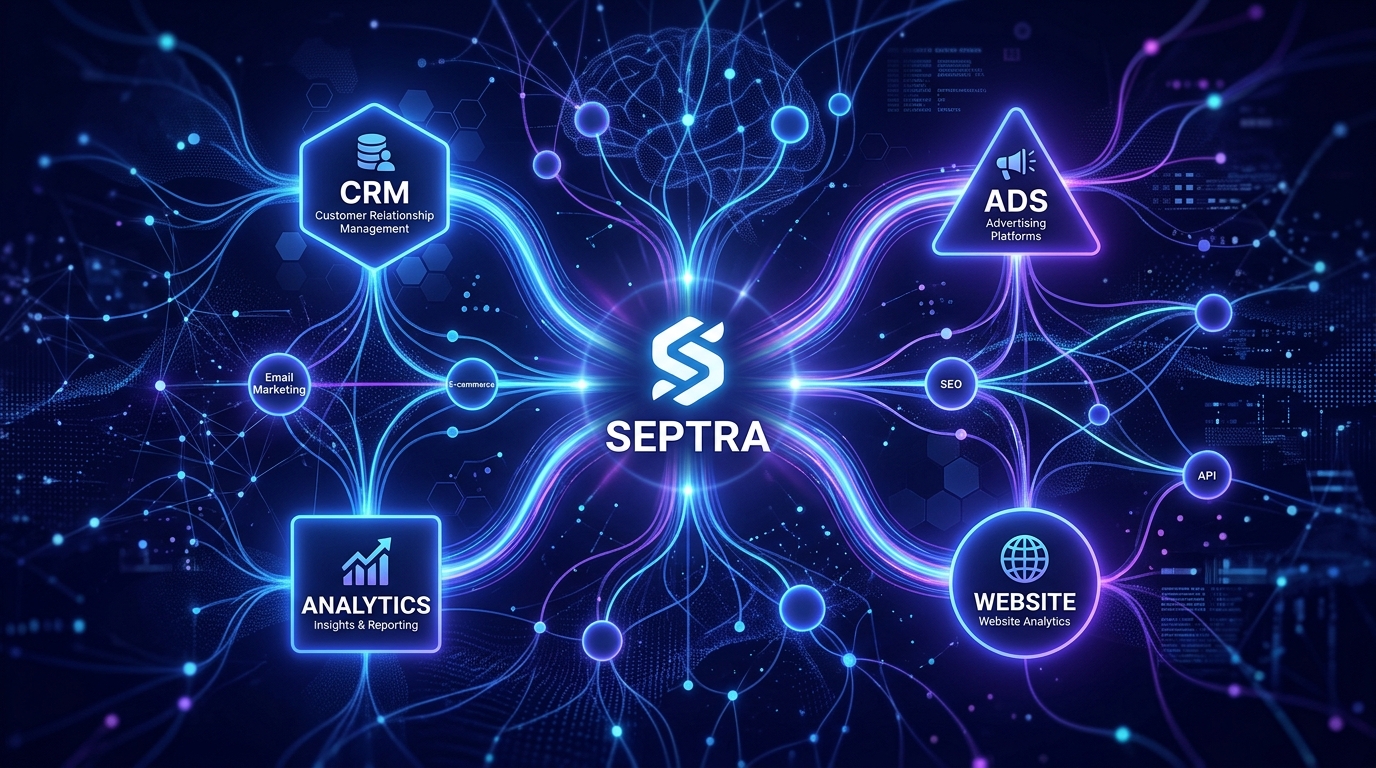
Septra's core differentiator is simple: we work with the tools you already use. HubSpot, Odoo, Google Ads, WordPress—you name it. No data migration, no retraining staff, no switching costs.
How Septra Integrates with Your Current Stack
- CRM integration (HubSpot, Odoo): Real-time sync of contacts, deals, activities.
- Google Ads connection: Pull performance data, adjust bids, generate ad copy from your account.
- Website connection: Crawl your pages, analyze content, automate SEO metadata.
The setup takes hours, not weeks. Once connected, Septra's AI models—trained on your specific business data—execute complex, multi-step workflows across these applications. This mirrors the industry trend toward multi-step task automation becoming standard in 2025.
Domain-Specific AI for Better Results
General-purpose models are great for brainstorming. But when you need AI that understands your ad KPIs or your CRM lead scoring, you need a domain-specific engine. Septra uses specialized models fine-tuned for business functions like Google Ads optimization, SEO automation, and CRM enrichment—so the outputs are actionable, not vague.
Step-by-Step: Integrating AI with Your CRM (HubSpot/Odoo)
Let's walk through a concrete example using HubSpot. The same principles apply to Odoo.
1. Connect Septra to Your CRM
Authorize read/write access. Septra indexes your contact properties, deal stages, pipeline history, and email engagement.
2. Define Automation Workflows
- Lead scoring: Automatically score leads based on recent activity, website visits, and email opens—no manual rules.
- Follow-up sequences: When a lead reaches a certain score, Septra drafts a personalized email referencing their recent interaction and sends it via your CRM.
- Task creation: If a deal stalls, Septra creates a task for the sales rep with a suggested outreach strategy based on past successful conversions.
3. Monitor and Refine
Septra provides a dashboard showing how many tasks it automated, response rates, and pipeline velocity improvements. All without leaving your CRM interface.
Real example: A B2B SaaS company using HubSpot connected Septra to their CRM. Within two weeks, lead response time dropped from 24 hours to under 5 minutes, and their sales team closed 18% more deals—because every lead got the right message at the right moment.
Optimize Google Ads with AI That Understands Your Real Data
Generic AI ad tools suggest copy based on broad trends. But your business is niche. Your customers have specific pain points. Septra connects directly to your Google Ads account, pulls historical performance data, and cross-references it with your CRM to understand which audiences convert.
What This Enables
- Smart bid adjustments: Septra automatically raises bids for high-value segments identified in your CRM (e.g., leads from a specific industry or past purchase behavior).
- Ad copy generation: Using your CRM's customer profiles and language patterns, Septra creates ad headlines and descriptions that resonate with your actual buyers.
- Performance alerts: If a previously winning campaign starts underperforming, Septra flags it and suggests new creative or audience adjustments.
This approach directly addresses the strategic gap many CMOs face: they prioritize brand building but deprioritize AI search optimization. By connecting your ad account to your CRM, you bridge brand messaging with data-driven execution.
Multi-Platform Automation Workflows
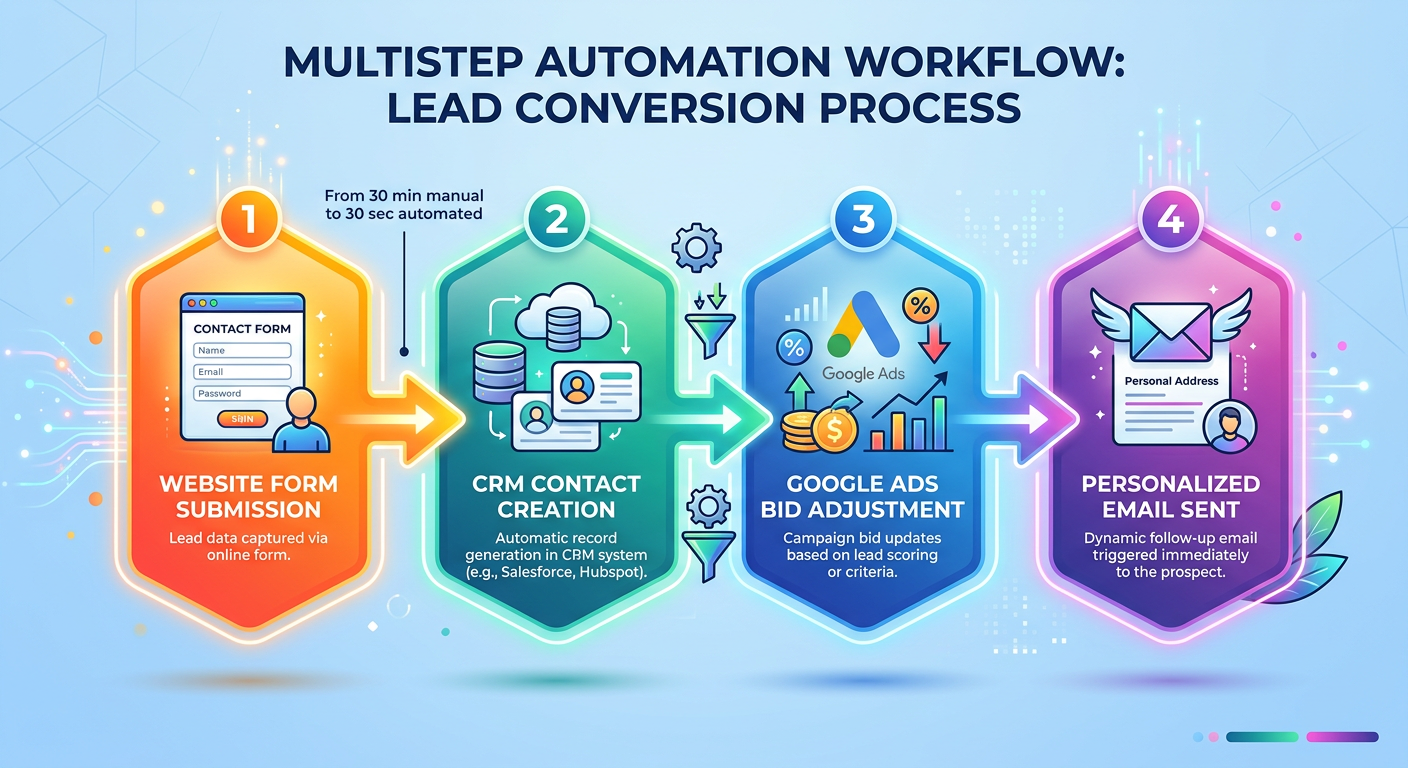
Because Septra operates across tools, you can create workflows that span CRM, ads, and website. For example:
- A lead fills out a form on your website → Septra creates a contact in HubSpot → checks if they match a high-value segment from Google Ads data → sends a personalized email with a case study → creates a follow-up task for the sales rep. All automated, all in minutes.
SEO Automation That Leverages Your Existing Website and Tools
SEO is a time sink. Manual meta descriptions, keyword research, and content optimization consume hours. But with AI connected to your website and CMS, you can automate the grunt work.
How It Works
- Website crawler: Septra indexes your pages, identifies gaps in meta tags, headings, and internal links.
- CRM data enrichment: Your top-performing content topics often align with your best customers' interests. Septra cross-references your CRM against your site analytics to prioritize SEO improvements for pages that attract high-value leads.
- Automated metadata generation: Write unique meta titles and descriptions for every page, optimized for target keywords you already rank for.
- Content briefs: When you want a new blog post, Septra generates an outline based on competitor analysis and your existing content, pulling insights from your ad performance data to refine the angle.
Outcome: One ecommerce client reduced SEO manual effort by 40 hours per month and saw a 22% increase in organic traffic from pages optimized by Septra—all while using their existing Shopify and Google Analytics setup.
Reducing Manual Overhead and Scaling with AI-Driven Automation
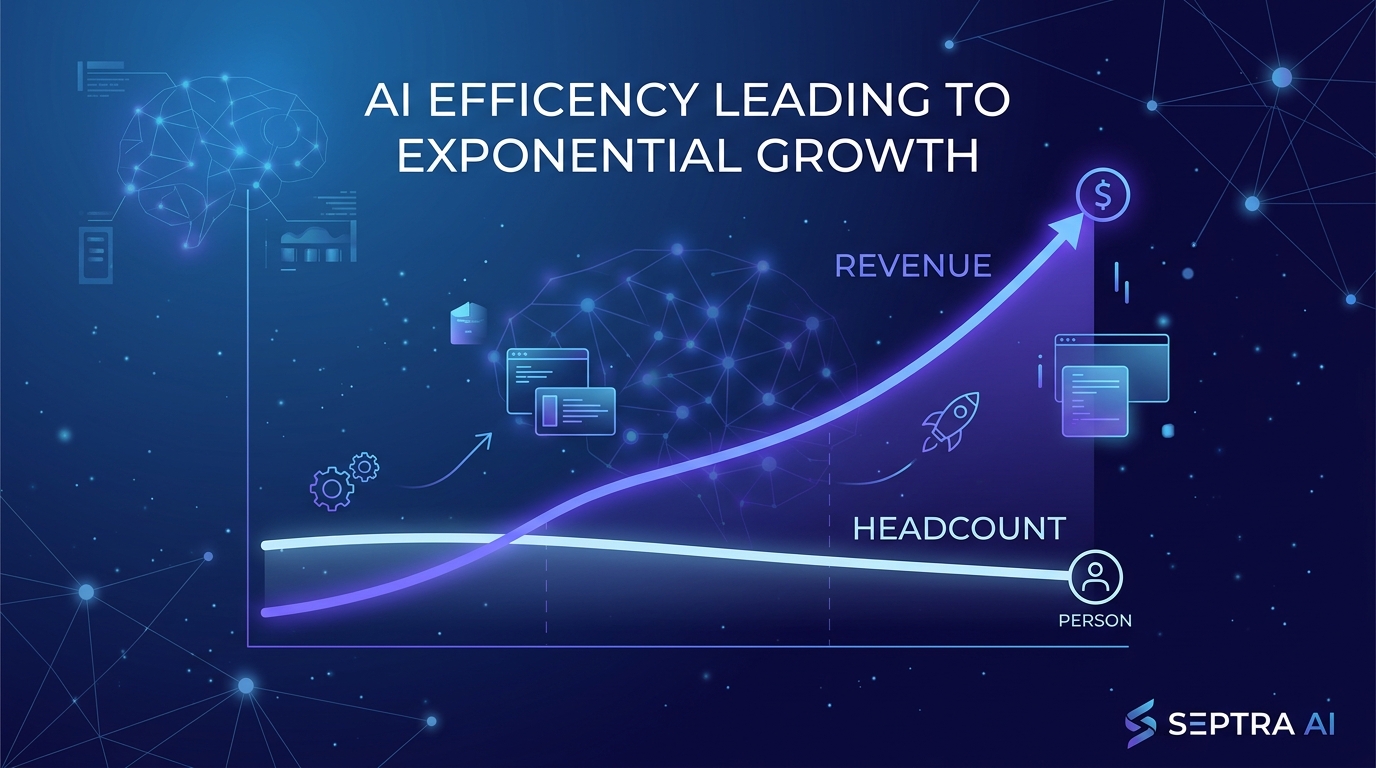
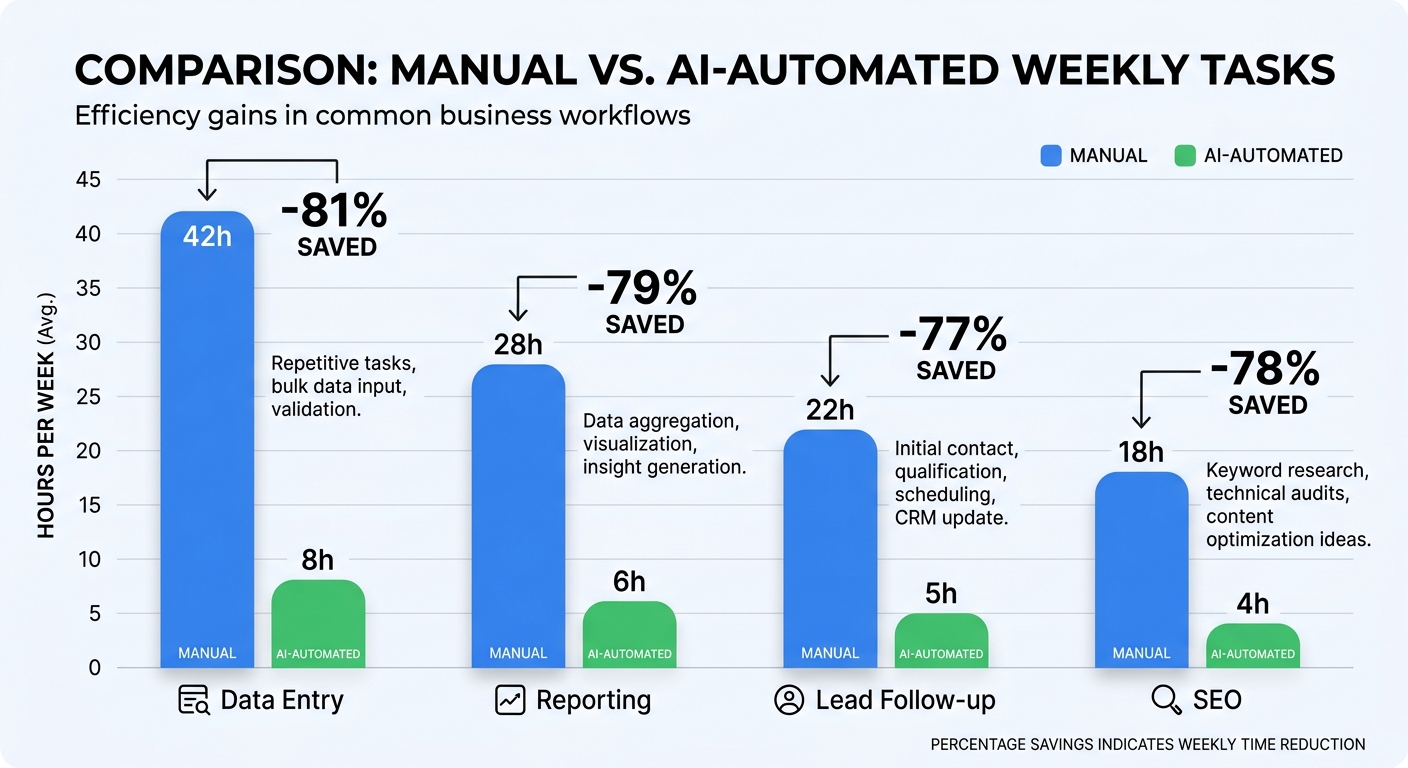
The business case for connecting AI to your existing tools isn't just convenience—it's a direct line to scaling without hiring. Every manual task you automate frees up capacity for revenue-generating activities.
Quantifying the Impact
- Data entry: Average 15 hours/week saved across CRM and ad platforms.
- Reporting: Automated monthly reports cut 10 hours/month.
- Lead follow-up: AI-driven sequences increase response rates by 40%.
When you multiply these savings across your team, the ROI becomes clear. Septra typically pays for itself within the first month of integration.
Addressing AI Integration Anxiety: Data Security and Customization
It's natural to worry about plugging AI into your core business systems. Septra takes security seriously:
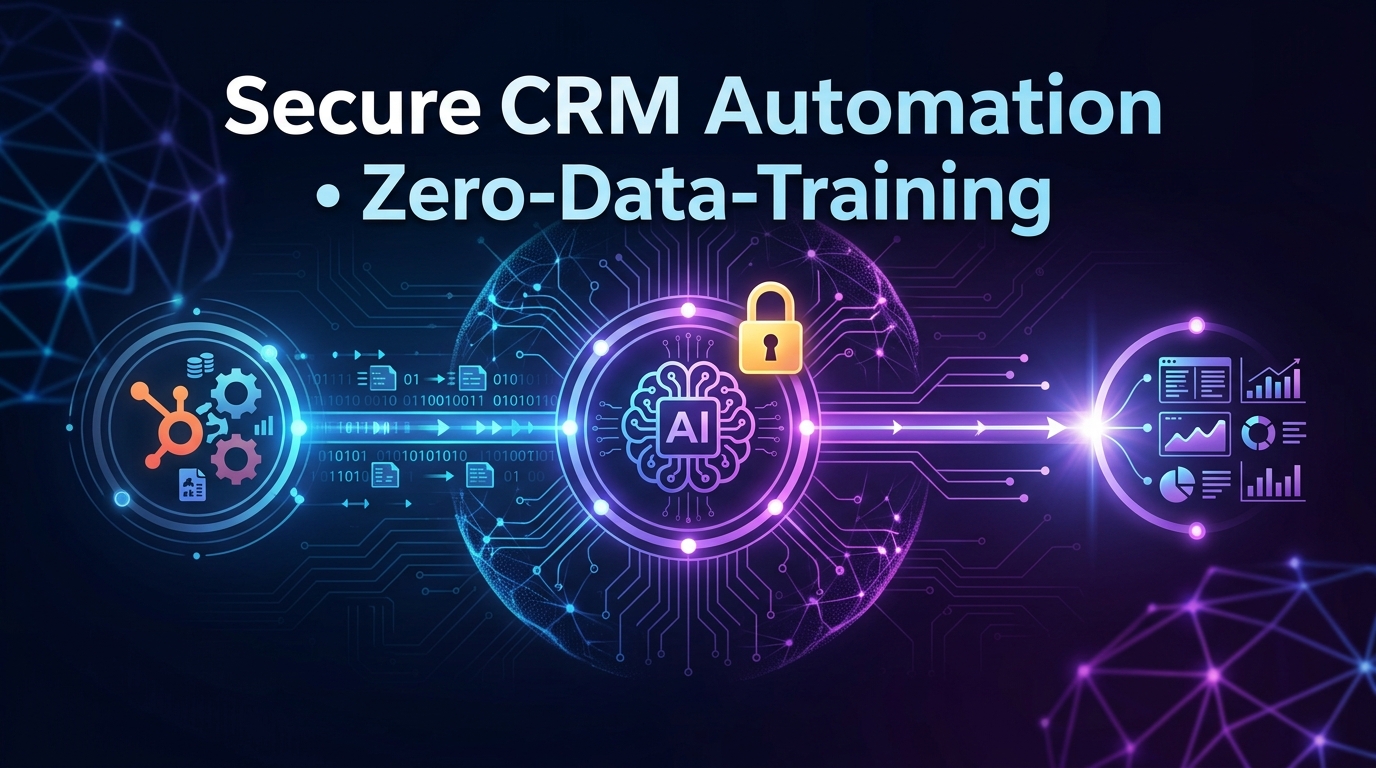
- Data stays within your infrastructure; no third-party storage.
- Granular permissions: control exactly which data fields the AI can access.
- On-premise deployment options for regulated industries.
Customization is also built-in. You define the workflows, thresholds, and approval steps. The AI learns from your patterns but never acts without your rules.
Frequently Asked Questions
How quickly can I connect AI to my existing CRM with Septra?
Setup typically takes 2–4 hours. For HubSpot or Odoo, you authorize access via OAuth, configure a few workflow triggers, and you're live. No coding required.
Do I need to switch platforms to use Septra?
No. Septra is designed to integrate with your current tools—HubSpot, Odoo, Google Ads, WordPress, and more. You keep your existing stack; we just make it smarter.
Can Septra handle multi-step workflows across different tools?
Yes. That's a core feature. You can create automation sequences that start in your CRM, trigger ad adjustments, and update your website—all within one Septra workflow.
Is my business data safe when I connect AI to my tools?
Absolutely. Septra uses encrypted connections, role-based access controls, and never shares your data with third parties. We also support on-premise hosting for maximum control.
Conclusion: Stop Switching Platforms—Start Connecting AI
The most powerful AI automation isn't about replacing your stack. It's about layering intelligence on top of it. By learning how to connect AI to your existing business tools, you unlock efficiency gains that directly impact your bottom line: faster sales cycles, smarter ad spend, and SEO that works without manual effort.
Septra AI makes this possible in days, not months. No migration. No retraining. Just your tools, supercharged.
Ready to eliminate manual overhead and scale operations without hiring? Try Septra AI today—connect your CRM, ads, and website, and watch automation transform your workflows.
Ready to build your own AI app?